
Introduction
As AI tools become part of daily workflows, more users are looking for stable and secure ways to access ChatGPT from different regions and network environments. Whether you are using ChatGPT for research, coding, SEO automation, AI agents, or business productivity, network quality plays a major role in overall performance.
In many cases, users experience:
- ChatGPT login issues
- Slow response times
- Access restrictions
- Session expired errors
- Regional limitations
- Frequent security verification
This is where proxy infrastructure becomes important.
A high-quality residential proxy can help improve connection stability, maintain consistent sessions, and optimize access reliability when using ChatGPT.
In this guide, we will explain:
- What proxy servers are
- Why people use proxies with ChatGPT
- The difference between residential and datacenter proxies
- How to configure a proxy for ChatGPT
- Best proxy types for AI tools
- Common setup issues and fixes
- Why residential proxies are becoming essential for AI workflows in 2026
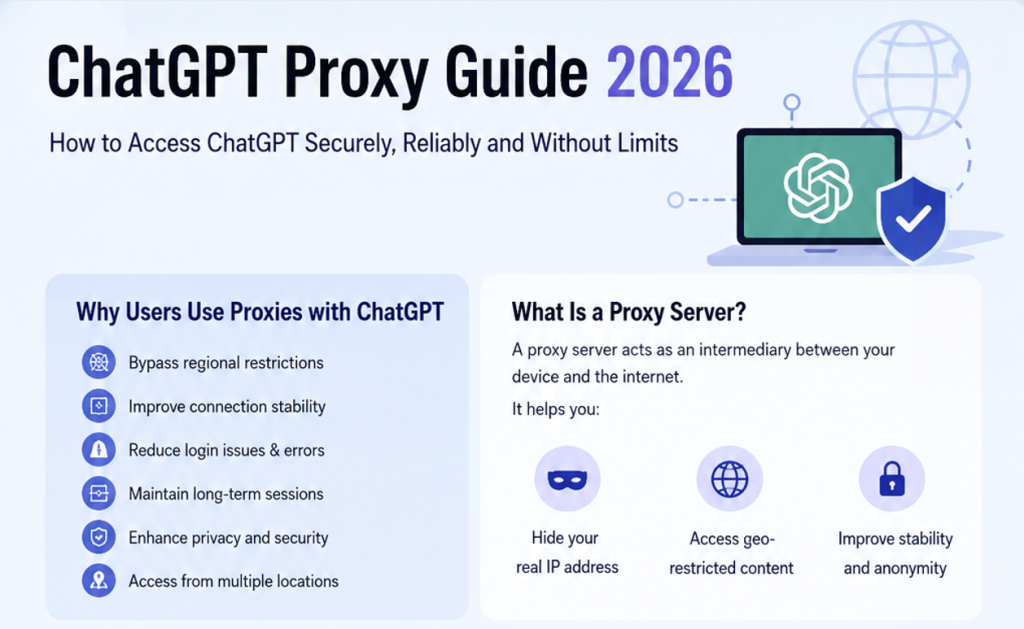
What Is a Proxy Server?
A proxy server acts as an intermediary between your device and the internet.
Instead of connecting directly to a website or online service, your requests are routed through another IP address.
This means:
Your Device
    ↓
Proxy Server
    ↓
ChatGPT / OpenAI
When using a proxy, websites and applications see the proxy IP instead of your original network identity.
Proxy servers are widely used for:
- Privacy protection
- Network optimization
- Multi-account management
- Web scraping
- SEO monitoring
- AI automation
- Geo-targeted access
- Data collection
Today, proxies are increasingly used in AI infrastructure and AI agent systems.
Why Use a Proxy for ChatGPT?
As ChatGPT becomes part of daily workflows for developers, marketers, researchers, and AI teams, network stability is becoming increasingly important. Many users experience issues such as slow loading, login interruptions, repeated security verification, or session expiration errors. In most cases, the problem is not the AI model itself, but the network environment behind the connection.
A proxy helps create a more stable and controllable access layer between users and OpenAI services. Instead of connecting directly through a potentially unstable or restricted local network, requests are routed through another IP address and network path. This can improve routing quality, maintain more consistent sessions, and reduce abnormal login behavior.
Proxies are also becoming essential in AI automation environments. Modern AI workflows often combine ChatGPT with browser automation tools, AI agents, RAG pipelines, search engines, and external APIs. In these scenarios, maintaining a stable network identity is critical. Frequent IP changes, inconsistent browser fingerprints, or low-quality shared networks can easily trigger session interruptions or verification systems.
For users running AI research systems, browser agents, SEO automation tools, or multi-account environments, residential proxies are increasingly used as part of the underlying AI infrastructure.
Residential Proxy vs Datacenter Proxy for ChatGPT
Not all proxies perform equally well for ChatGPT and AI applications.
Datacenter proxies are hosted on cloud servers and are usually optimized for speed and large-scale concurrency. They are cheaper and faster, which makes them useful for some scraping or testing scenarios. However, because these IPs originate from server environments rather than real internet users, they are easier for platforms to identify as automated traffic.
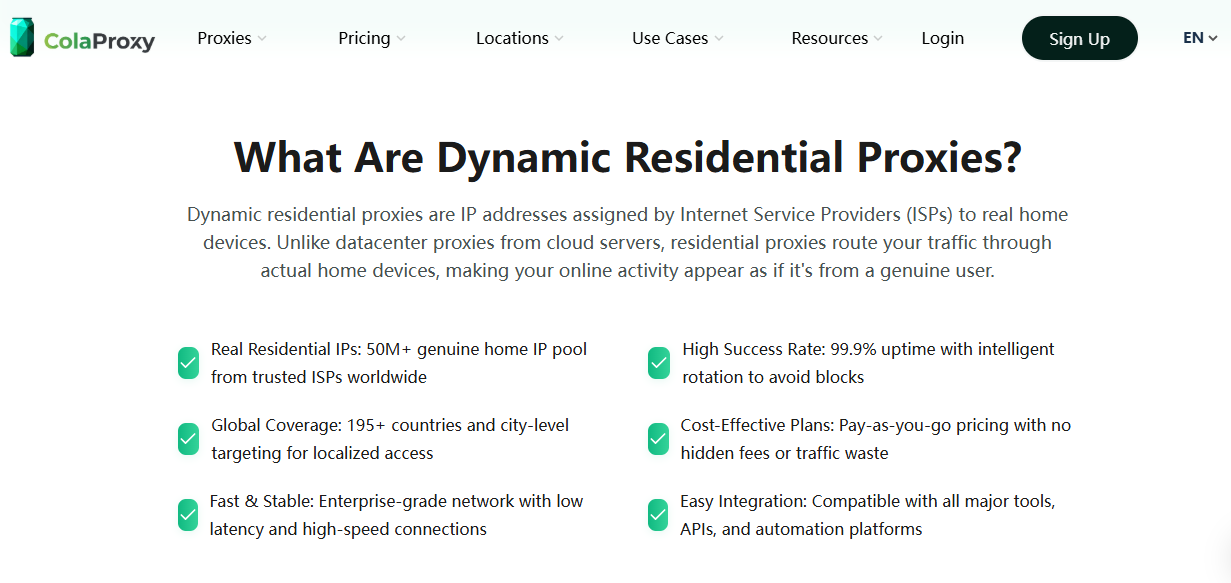
Residential proxies work differently. They use IP addresses assigned by real internet service providers (ISPs), which makes the traffic appear more similar to normal user behavior. For AI tools like ChatGPT, this often results in more stable sessions, lower CAPTCHA frequency, and fewer login interruptions.
In long-session AI workflows, especially those involving browser automation or AI agents, residential proxies are generally considered more reliable than datacenter proxies. While they may cost more, they provide a more stable network identity, which is increasingly important as AI platforms strengthen security and anti-bot systems.
Best Proxy Types for ChatGPT in 2026
The best proxy setup depends on your use case.
| Use Case | Recommended Proxy |
|---|---|
| Daily ChatGPT access | Residential Proxy |
| AI research workflows | Residential Proxy |
| Multi-account environments | Sticky Residential Proxy |
| AI agent systems | Residential Proxy |
| Browser automation | Residential Proxy |
| Large-scale scraping | Rotating Residential Proxy |
| High-speed testing | Datacenter Proxy |
For most ChatGPT users, sticky residential proxies provide the best balance between stability and usability.
How to Set Up Proxy for ChatGPT
There are several ways to configure a proxy for ChatGPT.
The most common methods include:
- Browser proxy setup
- System-wide proxy setup
- Proxy extensions
- Local proxy tools
- SOCKS5 configuration
Method 1: Browser Proxy Extension
This is the easiest setup method.
Popular browser proxy extensions include:
- SwitchyOmega
- FoxyProxy
- Proxy Switcher
Basic setup process:
- Install a proxy extension
- Enter proxy IP and port
- Add username/password
- Enable the proxy profile
- Open ChatGPT
Example:
Protocol: HTTP/SOCKS5
Host: gateway.colaproxy.com
Port: 8000
Username: your_username
Password: your_password
This method is ideal for:
- Individual users
- SEO specialists
- AI researchers
- ChatGPT daily workflows
Method 2: System Proxy Configuration
You can also configure a proxy at the operating system level.
This routes all internet traffic through the proxy.
Windows Setup
Settings
   ↓
Network & Internet
   ↓
Proxy
   ↓
Manual Proxy Setup
macOS Setup
System Settings
   ↓
Network
   ↓
Advanced
   ↓
Proxies
This method is useful for:
- Browser automation
- Desktop AI tools
- Multiple applications
- AI workflow systems
Method 3: Using SOCKS5 Proxy
SOCKS5 proxies are widely used in:
- Browser automation
- AI agents
- Python scripts
- Playwright
- Puppeteer
Example Python setup:
import requests

proxies = {
    "http": "socks5://username:password@gateway.colaproxy.com:1080",
    "https": "socks5://username:password@gateway.colaproxy.com:1080"
}

response = requests.get(
    "https://chat.openai.com",
    proxies=proxies
)

print(response.status_code)
SOCKS5 is especially useful for advanced AI automation environments.
Common ChatGPT Proxy Problems and Fixes
One of the most common issues users experience while using ChatGPT with proxies is the “Session Expired” error. This often happens when the network identity changes too frequently or when the session behavior appears inconsistent. Rapid IP rotation, low-quality shared proxies, and unstable browser environments can all trigger OpenAI security systems.
Another common problem is repeated CAPTCHA verification. Datacenter proxies with poor IP reputation are much more likely to trigger additional verification requests, especially when multiple users share the same IP range.
Slow response speed is also a frequent complaint. In many cases, this is caused by poor routing quality, overloaded proxy nodes, or choosing proxy regions far away from the user’s actual location.
To improve stability, users should avoid aggressive IP switching, maintain consistent browser environments, and use sticky residential sessions whenever possible. Stable residential proxies usually provide significantly better long-term performance for ChatGPT workflows.
Why Residential Proxies Are Becoming Essential for AI Workflows
In 2026, AI systems are evolving beyond simple chatbot usage.
Modern workflows increasingly include:
- AI agents
- Autonomous browsing
- Multi-agent systems
- RAG pipelines
- AI search automation
- Browser-based AI operators
These systems continuously interact with:
- ChatGPT
- Documentation websites
- Dynamic web applications
As websites deploy stronger anti-bot systems, network identity becomes more important than ever.
Today, platforms analyze:
- IP reputation
- Browser fingerprints
- Session continuity
- User behavior
- Geolocation consistency
This means stable residential proxy infrastructure is no longer just a scraping tool.
It is becoming a core layer of modern AI infrastructure.
Why Choose ColaProxy for ChatGPT?
As AI workflows become increasingly dependent on stable web access, proxy quality has become much more important than it was in traditional browsing environments. Many proxy networks are optimized mainly for scraping speed or large-scale rotation, but ChatGPT and AI automation systems require something different: stable session continuity and reliable network identity.
ColaProxy focuses on residential proxy infrastructure designed for browser environments, AI automation, and long-session workflows. Because the traffic is routed through real ISP-based residential IPs, requests appear closer to normal user behavior, which can help reduce abnormal verification triggers and improve overall stability.
This is particularly important for users running browser agents, AI research systems, RAG pipelines, or multi-step automation tasks where maintaining a consistent session matters more than short-term request speed.
Another advantage is global geo-targeting support. AI teams often need to test localized search results, region-specific AI behavior, or international browser environments. Residential proxy infrastructure allows users to maintain region consistency while interacting with ChatGPT and other AI platforms.
As AI agents increasingly combine ChatGPT with search engines, browsers, APIs, and dynamic web platforms, stable residential networks are becoming part of the broader AI infrastructure stack rather than just optional tools.
Best Practices for Using ChatGPT With Proxies
To maintain the best stability:
- Use high-quality residential proxies
- Avoid excessive IP switching
- Keep browser fingerprints consistent
- Use sticky sessions when possible
- Avoid public free proxies
- Choose nearby proxy regions
- Limit unnecessary automation frequency
These practices significantly reduce:
- Session expiration
- CAPTCHA interruptions
- Login verification requests
- Connection instability
FAQ
Is using a proxy with ChatGPT safe?
Using a trusted proxy provider is generally safe for improving network routing and access stability.
Which proxy type is best for ChatGPT?
Residential proxies are usually more stable and reliable than datacenter proxies for long-term ChatGPT usage.
Why does ChatGPT keep logging me out?
This often happens because of unstable IP changes, inconsistent sessions, or suspicious network behavior.
Can proxies improve ChatGPT speed?
In some cases, better routing and optimized networks can improve stability and response consistency.
What is the best proxy for AI agents?
Sticky residential proxies are widely considered the best option for AI agents and long-session AI workflows.
Conclusion
As AI tools become deeply integrated into productivity and automation systems, stable network infrastructure is becoming increasingly important.
For ChatGPT users, the issue is often not the AI model itself.
The real challenge is maintaining:
- Stable sessions
- Reliable network identity
- Consistent access
- Low-friction connectivity
Residential proxies help solve these problems by providing more trusted and stable internet identities.
Whether you are using ChatGPT for:
- AI research
- Browser automation
- SEO workflows
- Multi-agent systems
- AI content generation
- Real-time data analysis
a high-quality residential proxy can significantly improve reliability.
As AI infrastructure continues evolving in 2026, residential proxy networks are becoming a foundational layer for modern AI workflows.
ColaProxy helps provide that infrastructure with stable residential IPs designed for AI automation and real-world web access.