Executive Summary:
To successfully dominate Shopify drops with a rotating residential pool, speed and stealth are your primary assets. Traditional static IPs often fall victim to Shopify’s advanced anti-bot filters, such as Cloudflare. By leveraging a diverse rotating residential pool, users can simulate authentic human behavior across thousands of unique IP addresses.
This guide details how ColaProxy’s high-trust residential network provides the low latency and clean IP reputation needed to bypass CAPTCHAs and secure limited-edition inventory. Whether you are a solo reseller or part of a professional “cook group,” mastering proxy rotation is the definitive edge in modern e-commerce.
7 Secrets to Dominate Shopify Drops with a Rotating Residential Pool
The landscape of e-commerce has shifted into a high-speed digital arms race. For those looking to secure limited-edition sneakers, high-end electronics, or designer collectibles, the goal is clear: you must dominate Shopify drops with a rotating residential pool. If you are still relying on shared data center IPs or a handful of static addresses, you are likely hitting a brick wall of “403 Forbidden” errors and endless CAPTCHA loops.
What is a Rotating Residential IP Pool and Why Does it Matter?
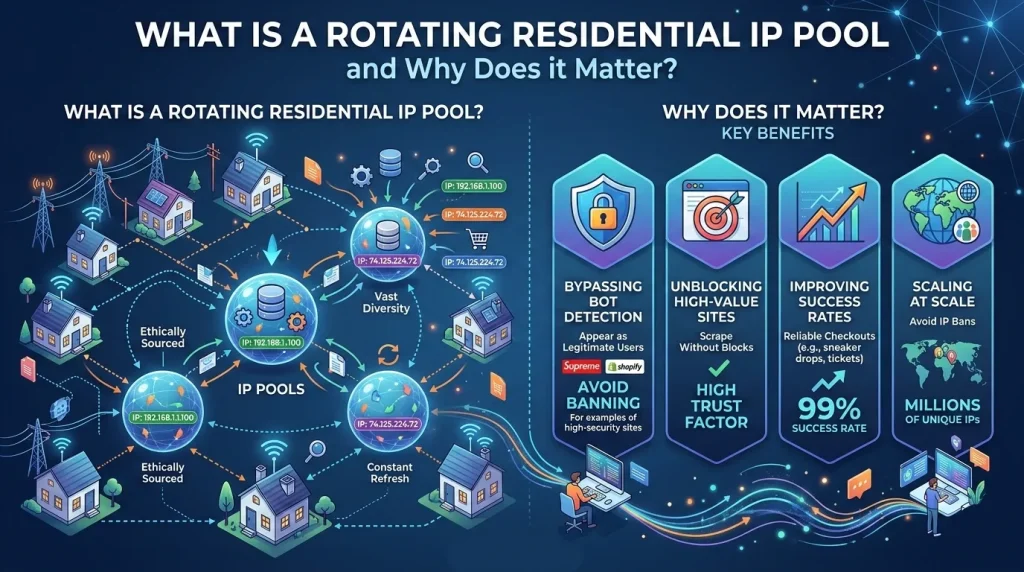
A rotating residential pool is a collection of IP addresses assigned by Internet Service Providers (ISPs) to real homeowners. Unlike data center proxies, which originate from massive server farms, these IPs carry a “residential” tag. To Shopify’s security systems, traffic from these IPs looks like a neighborhood of real people shopping from their living rooms.
When you use rotating residential proxies, your automation tool (or bot) switches to a new IP address either after every request or after a set period. This constant variation makes it nearly impossible for Shopify to identify and ban your botting activity.
The Role of IP Reputation in Shopify Drops
Shopify utilizes sophisticated security layers like Akamai and Cloudflare. These systems assign a “trust score” to every incoming IP.
- Data Center IPs: Often flagged as “high risk” due to their association with automated scripts.
- Residential IPs: Flagged as “low risk” because they belong to genuine consumers.
By utilizing ColaProxy, you tap into a premium pool of millions of verified residential nodes, ensuring your requests always carry the highest possible reputation.
Why You Should Use a Rotating Residential Pool Over Static IPs
| Feature | Static Residential (ISP) | Rotating Residential Pool |
| IP Volume | Limited (Specific count) | Massive (Millions of IPs) |
| Detection Defense | Moderate | Superior |
| Use Case | Account Management | Mass Tasking & Scraping |
| Flexibility | Fixed Locations | Global/City-Level Targeting |
| Resilience | Low (If banned, it’s gone) | High (Instant rotation to new IP) |
1. Bypassing Advanced Rate Limiting
Shopify tracks how many requests come from a single IP per second. If you send 50 requests in 500ms from one IP, you’re blocked. With a rotating residential pool, those 50 requests are spread across 50 different IPs, keeping you well under the radar.
2. Eliminating Geo-Restrictions
Many high-heat drops are region-specific. If a drop is exclusive to the UK, and you are in the US, your local IP will be blocked. ColaProxy allows you to select specific regions within your rotating residential proxies settings, placing your virtual presence exactly where the inventory is.
How to Set Up Your Rotating Residential Pool for Shopify Success
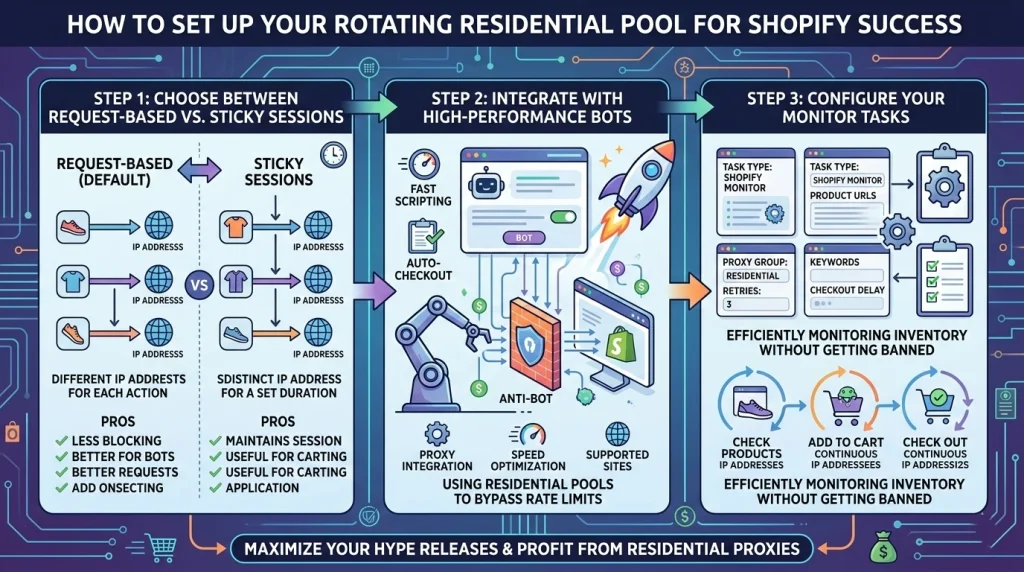
To truly dominate Shopify drops with a rotating residential pool, your setup must be optimized for both speed and session persistence.
Step 1: Choose Between Request-Based vs. Sticky Sessions
For Shopify, the “Sticky Session” is king. When a bot adds an item to the cart, it needs to use the same IP address to complete the checkout. If the IP changes mid-transaction, Shopify will likely clear the cart for security reasons.
- Pro Tip: Set your ColaProxy sticky sessions to 10–30 minutes to ensure you have enough time to bypass the “queue” and finish payment.
Step 2: Integrate with High-Performance Bots
Whether you use Cybersole, Wrath, or MEKPreme, the integration process is straightforward. You will use a single “Gateway” address provided by ColaProxy. The rotation happens on the backend, meaning you don’t have to manually manage thousands of IP strings.
Step 3: Configure Your Monitor Tasks
While checkout tasks need sticky IPs, your “Monitor” tasks (the ones watching for the site to go live) should use per-request rotation. This allows you to scrape the site hundreds of times per minute without getting your main checkout IPs flagged.
5 Expert Strategies Based on Real ColaProxy Case Studies
Based on our experience helping thousands of users navigate the most difficult drops, here is our verified methodology:
Strategy 1: The “Warm-Up” Phase
Don’t start your tasks at the exact second of the drop. Start them 2 minutes early. This “warms up” the connection and ensures your rotating residential pool has established active sessions with the target server.
Strategy 2: Minimize Data Overhead
Since residential proxies are typically billed by traffic (GB), optimize your bot settings.
- Disable Images: Most bots allow you to run “headless” or without loading images.
- Filter Non-Essential Requests: Block third-party trackers within your bot settings.
Strategy 3: Leverage Global Subnets
If one ISP subnet is under heavy load, ColaProxy allows you to switch to different providers within the same country.
Strategy 4: Check IP Quality Pre-Drop
Never go into a drop blind. Use tools to check the “leakage” or “blacklist” status of your current pool.
Strategy 5: Hybrid Infrastructure
Combine your rotating residential pool with SOCKS5 proxies for the ultimate balance of speed and security.
The Checklist for Shopify Dominance
Before the next release, run through this checklist to ensure your infrastructure is ready:
- Plan Active: Ensure your ColaProxy dashboard shows an active balance.
- Location Set: Verify your proxies are set to the target store’s region.
- Session Type: Sticky sessions enabled for checkout tasks.
- Test Run: Perform a “test checkout” on a non-hype item to ensure connectivity.
FAQ: Frequently Asked Questions about Rotating Residential Pools
Why is my bot getting a 430 Error on Shopify?
A 430 error usually means your IP is being rate-limited. This is common when using data center proxies. Switching to a rotating residential pool from ColaProxy typically solves this immediately.
Can I use residential proxies for sneaker bots?
Absolutely. In fact, it is the industry standard. For a deeper look, check our guide on how to use residential proxies for sneaker bots.
How do I stop getting blocked by Cloudflare?
Cloudflare looks for patterns. By using rotating residential proxies, you break those patterns.
Is a larger pool always better?
Yes. A larger rotating residential pool means a lower “collision rate” (the chance of another user using the same IP on the same site). ColaProxy maintains a massive, clean pool to minimize this risk.
Final Thoughts: Why ColaProxy is the Professional Choice
To dominate Shopify drops with a rotating residential pool, you need a partner that understands the technical nuances of anti-bot bypass. ColaProxy doesn’t just provide IP addresses; we provide a high-performance gateway to the inventory you deserve. Our network is built for stability, geographic precision, and unbeatable trust scores.
Don’t let a “Sold Out” screen be your final result. Switch to a provider that offers the most reliable rotating residential proxies on the market.
Ready to elevate your game?
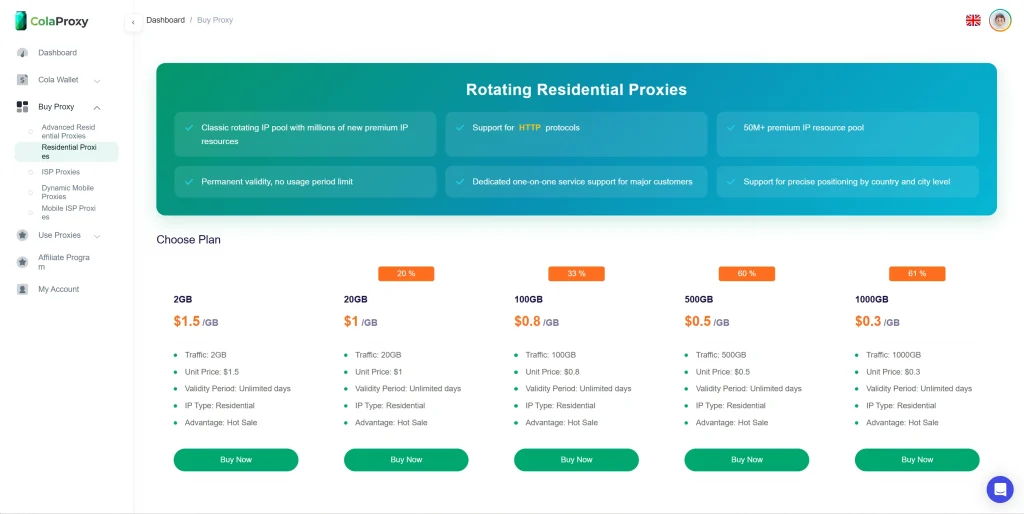
Explore ColaProxy’s Residential Plans