Quick Answer
In the rapidly evolving world of data collection and privacy, learning how to use residential proxies is no longer just a technical niche—it is a superpower for digital marketers, researchers, and developers. Unlike standard data center IPs, residential proxies are tied to real physical addresses provided by ISPs. This gives them a “human” footprint that is nearly impossible for anti-bot systems to detect.
In this comprehensive guide, we will break down the mechanics of these tools and provide a clear roadmap to help you integrate them into your workflow. By the end of this article, you will understand the technical configuration, the legal landscape, and why premium providers like Colaproxy are the industry standard for high-success operations.
What is a Residential Proxy and Why Do You Need One?
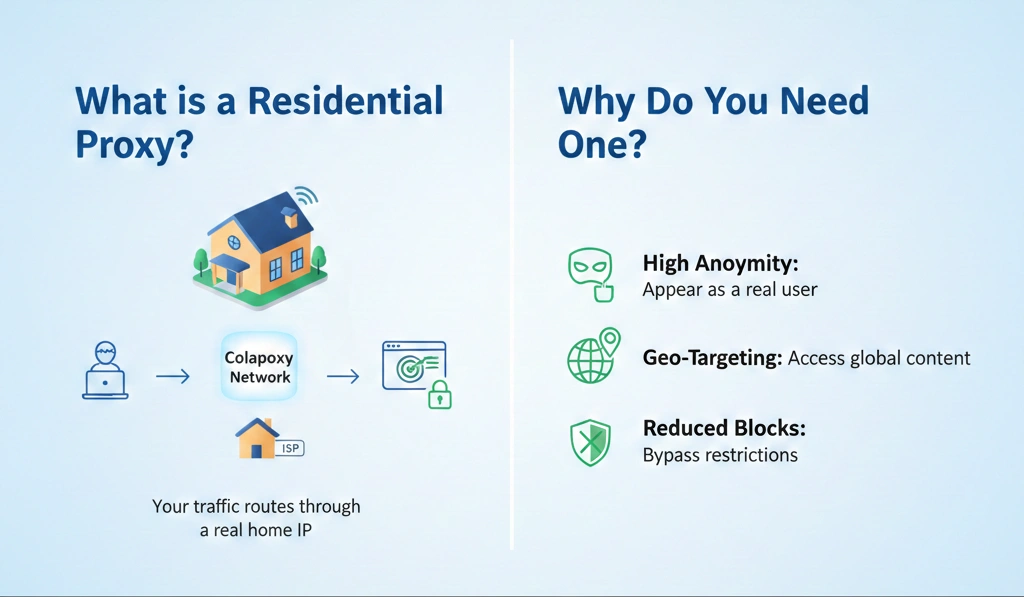
Before we dive into the setup, it is crucial to understand how do residential proxies work. Essentially, a residential proxy acts as an intermediary between you and the target website. Instead of the website seeing your actual IP address, it sees an IP address belonging to a real home user.
Key Benefits of Residential IPs
- High Anonymity: They carry the highest trust score because they appear as organic traffic.
- Geo-Targeting: Access content as if you were in a specific city, state, or country.
- Reduced Bans: Because they are not part of a known data center range, they rarely trigger CAPTCHAs or IP blocks.
How to Use Residential Proxies: A 7-Step Implementation Guide
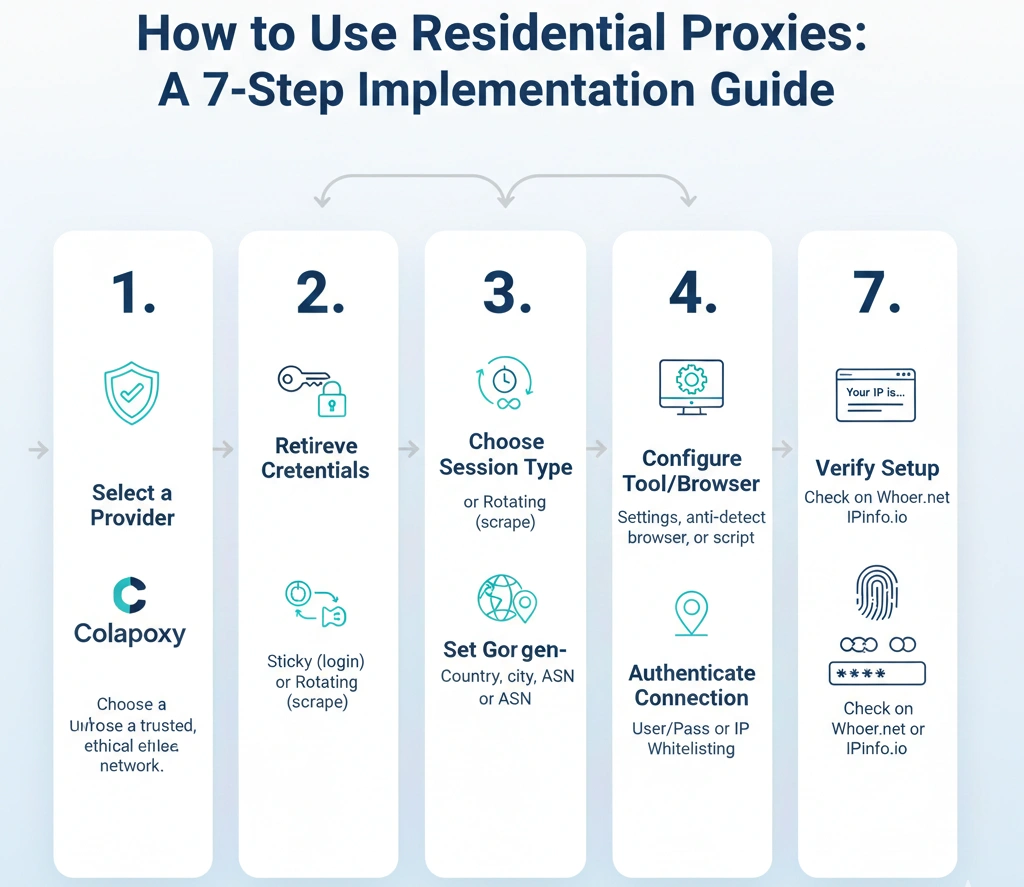
Follow these structured steps to ensure your proxy integration is seamless and secure.
1. Select a Trusted Provider
The foundation of your success lies in the quality of the IP pool. Colaproxy offers an elite network of ethically sourced IPs that ensure high speed and low latency. Avoid “free” lists, as they often lead to data leaks.
2. Retrieve Your Proxy Credentials
Once you have an account, navigate to your dashboard to find your:
- Server/Host: (e.g., pr.colaproxy.com)
- Port: (e.g., 8000 or 10000)
- Username and Password: For secure authentication.
3. Choose Between Sticky and Rotating Sessions
Deciding how to properly use a proxy depends on your task:
- Rotating Sessions: Best for web scraping. Every request gets a new IP.
- Sticky Sessions: Best for social media or e-commerce login. Keep the same IP for up to 30 minutes.
4. Configure Your Tool or Browser
Most users will configure their proxies in an anti-detect browser like OKbrowser or directly in their OS settings.
- For Windows: Settings > Network & Internet > Proxy > Manual Proxy Setup.
- For Browsers: Use extensions like FoxyProxy or the built-in network settings.
5. Set Geo-Targeting Parameters
Advanced providers like Colaproxy allow you to append country codes to your username (e.g., username-country-us). This ensures you only use IPs from your desired region.
6. Authenticate Your Connection
You can usually authenticate via User/Pass or IP Whitelisting. IP whitelisting is often faster for large-scale scraping scripts as it removes the need to send credentials with every header.
7. Verify Your Setup
Always test your connection. Visit IPinfo.io or Whoer.net to confirm that the displayed IP matches your target location and is not leaked.
Comparison: Residential vs. Data Center Proxies
| Feature | Residential Proxies | Data Center Proxies |
| Source | Real Internet Service Providers | Cloud Servers/Data Centers |
| Detection Risk | Extremely Low | High |
| Cost | Premium (Usage-based) | Affordable (Flat rate) |
| Success Rate | ~99% | ~60-70% |
Frequently Asked Questions
Are residential proxies illegal?
No, using residential proxies is legal. However, your activities must comply with the laws of your country and the Terms of Service of the websites you access. Using them for market research and privacy is standard practice.
What is a residential proxy used for?
They are primarily used for:
- Ad Verification: Checking if ads are displayed correctly globally.
- Web Scraping: Extracting data without being blocked.
- SEO Monitoring: Tracking local search results accurately.
How to earn money by sharing residential proxy networks?
Users can join P2P networks where they opt-in to share their unused bandwidth in exchange for passive income. This is how the vast, diverse pools of residential IPs are maintained.
Expert Insights: Maximizing Your Proxy ROI
To get the most out of your Colaproxy subscription, keep these professional tips in mind:
- Match User-Agents: Ensure your browser’s User-Agent matches the IP type. A mobile IP should ideally use a mobile User-Agent.
- Monitor Data Usage: Since residential proxies are often billed per GB, optimize your scripts to block heavy media like images or videos unless necessary.
Conclusion
Understanding how to use residential proxies is the key to navigating the modern web without restrictions. By choosing a reliable partner like Colaproxy, you gain access to the trust, speed, and global reach required for high-level digital operations.