
Understanding reverse proxy vs proxy is essential for anyone managing networks, scraping data, or ensuring website security. While the two terms are often used interchangeably, they serve distinct purposes and offer different benefits. By learning their differences, you can choose the right solution for your needs and improve security, performance, and scalability. For smaller teams and individuals, a reliable proxy solution like Colaproxy can make this process easier, affordable, and effective.
What is a Proxy?
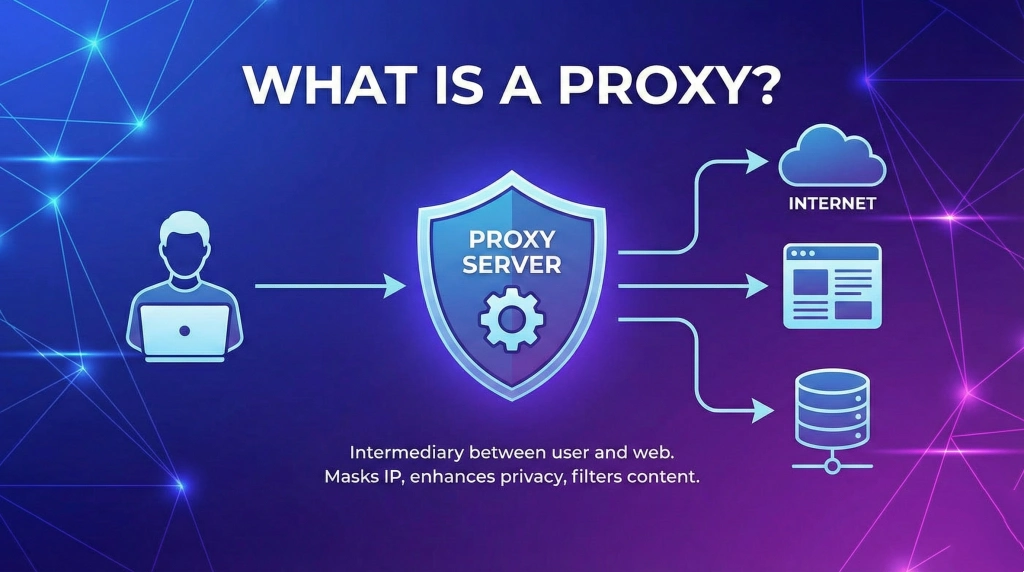
A proxy is an intermediary server that sits between a client (your computer) and the internet. It handles requests on behalf of the client, masking the client’s IP address, providing privacy, and sometimes enhancing performance.
Types of Proxies
- Residential Proxies: IP addresses from real devices, ideal for web scraping and accessing geo-restricted content.
- Datacenter Proxies: Fast IPs not tied to devices, suitable for high-volume operations.
- Mobile Proxies: IPs from mobile networks, used for testing mobile apps or social media automation.
How Proxies Work
- Client sends a request to the proxy server.
- Proxy forwards the request to the destination server.
- Destination server sees the proxy’s IP instead of the client’s.
- Response returns through the proxy to the client.
Proxies are often used for privacy, bypassing regional restrictions, and distributing requests during automated tasks. Learn more about proxy types here (DoFollow external link).
What is a Reverse Proxy?
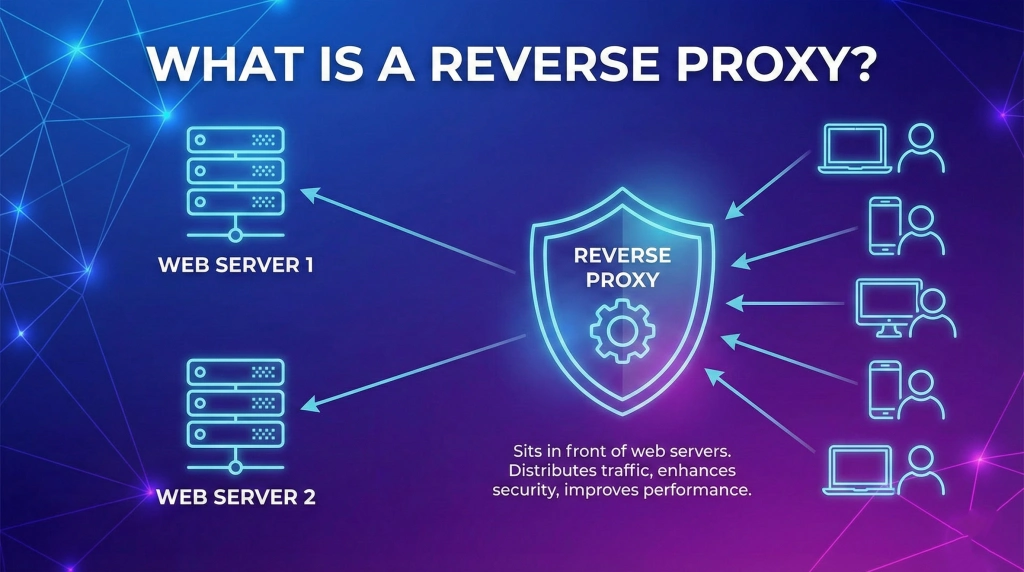
A reverse proxy acts differently—it sits between the internet and a server, receiving requests on behalf of the server. Clients don’t connect directly to the server but interact with the reverse proxy.
Functions and Benefits
- Load Balancing: Distributes traffic across multiple servers.
- Security Enhancement: Hides server information and blocks malicious requests.
- Caching: Speeds up content delivery for frequent requests.
- SSL Termination: Handles encryption to reduce server load.
How Reverse Proxies Differ From Regular Proxies
| Feature | Proxy | Reverse Proxy |
| Direction | Client → Internet | Internet → Server |
| Main Purpose | Privacy, access control | Security, performance, load balancing |
| Common Users | Individuals, small teams | Enterprises, high-traffic websites |
| Examples | Residential proxy, datacenter proxy | Nginx, Cloudflare, HAProxy |
7 Key Differences Between Reverse Proxy vs Proxy
- User vs Server Focus: Proxy protects the client; reverse proxy protects the server.
- Privacy vs Performance: Proxy emphasizes anonymity; reverse proxy improves speed and security.
- Deployment Complexity: Reverse proxies require advanced configuration.
- Traffic Flow: Proxies route outgoing requests; reverse proxies handle incoming traffic.
- Use Case Scope: Proxy for browsing or scraping; reverse proxy for server management.
- Caching Capabilities: Only reverse proxies cache server responses.
- Security Features: Reverse proxies include SSL termination and DDoS protection.
Proxy and Reverse Proxy Use Cases
When to Use a Proxy
- Access geo-restricted content.
- Mask IP for web scraping or automation.
- Maintain privacy on public networks.
When to Use a Reverse Proxy
- High-traffic websites needing load balancing.
- Servers requiring enhanced security and caching.
- Enterprises managing multiple backend applications.
Colaproxy: A Reliable Proxy Solution
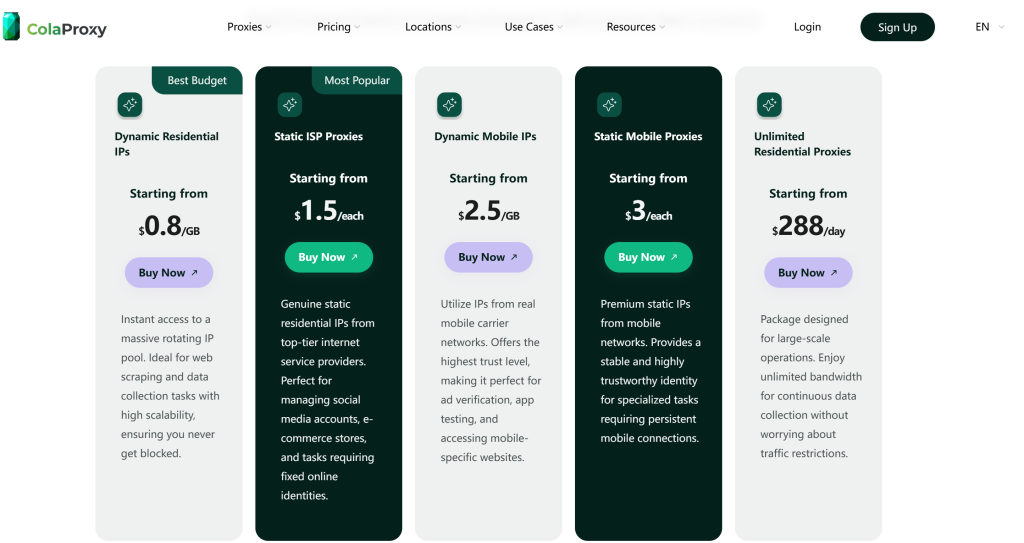
For small teams or individuals, Colaproxy offers comprehensive proxy solutions that balance cost, flexibility, and reliability.
Residential, Datacenter, and Mobile Proxies
- Residential Proxies: Perfect for scraping e-commerce sites and social media.
- Datacenter Proxies: High-speed IPs for large-scale tasks.
- Mobile Proxies: Optimized for mobile apps and platform-specific automation.
Why Colaproxy Stands Out
| Feature | Benefit |
| IP Diversity | Reduces block risk during scraping |
| Easy Setup | Quick configuration for beginners |
| Affordable Plans | Cost-effective for small teams |
| Expert Support | Guidance for complex setups |
FAQs About Reverse Proxy vs Proxy
Q1: Can I use a reverse proxy for personal browsing? No, reverse proxies are designed for servers, while proxies serve clients.
Q2: Are residential proxies better than datacenter proxies? Residential proxies are harder to block; datacenter proxies are faster and cheaper.
Q3: Can Colaproxy handle multiple tasks at once? Yes. Their residential, datacenter, and mobile proxies cover various platforms.
Q4: Do reverse proxies affect server speed? They often improve performance through load balancing and caching.
Q5: Is setting up a reverse proxy complicated? Slightly more complex than standard proxies, but tools like Nginx make it manageable.
Conclusion
Understanding reverse proxy vs proxy is crucial for network management, security, and performance. Proxies protect client privacy, while reverse proxies enhance server security and speed. For smaller teams, choosing a flexible solution like Colaproxy ensures reliable service without overspending. By aligning proxy type with your use case, you can achieve better performance, security, and efficiency in 2026 and beyond.