Introduction
Instagram is one of the most valuable platforms for data analysis, marketing research, and trend tracking. Many developers try to scrape Instagram data with Python to extract useful information from profiles, posts, and engagement metrics.
However, in 2026, Instagram has significantly improved its anti-bot detection systems. Simple scripts are no longer enough to reliably collect data at scale.
This guide explains how to scrape Instagram data with Python step by step, including practical examples, common challenges, and how to build a stable scraping system.
Table of Contents
Why Scraping Instagram Data Is Difficult
Anti-bot detection systems
Instagram uses advanced detection mechanisms to identify automated behavior. It no longer relies only on IP blocking.
Rate limiting
If too many requests are sent in a short period, Instagram will return HTTP 429 errors.
IP blocking
Repeated requests from the same IP address will quickly trigger temporary or permanent bans.
JavaScript rendering
Most Instagram content is dynamically loaded and cannot be accessed through simple HTTP requests alone.
Requirements Before You Start
Python environment
Make sure you are using Python 3.9 or higher for compatibility and stability.
Required libraries
You will need the following Python libraries:
- requests
- BeautifulSoup
- Selenium or Playwright
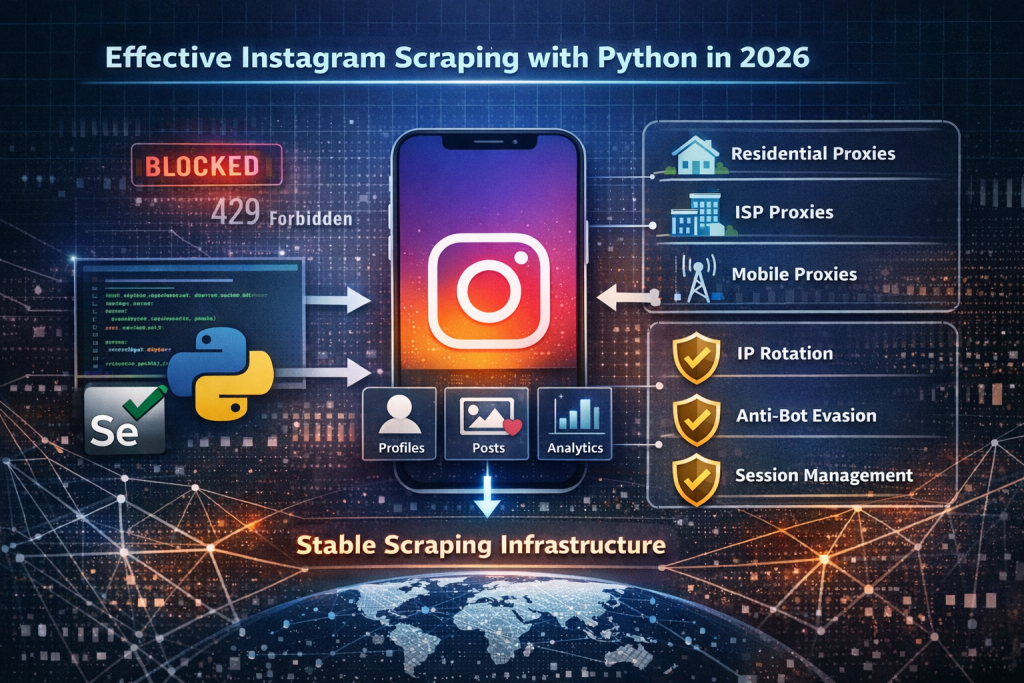
Proxy infrastructure (important)
A stable proxy system is essential if you want to scrape Instagram data with Python at scale.
Without proxies, most scraping attempts will fail quickly due to IP restrictions.
Step 1: Install Required Libraries
Install via pip
pip install requests beautifulsoup4 seleniumStep 2: Send a Basic Request to Instagram
Basic scraping example
import requests

url = "https://www.instagram.com/instagram/"

headers = {
    "User-Agent": "Mozilla/5.0 (Windows NT 10.0; Win64; x64)"
}

response = requests.get(url, headers=headers)

print(response.status_code)
print(response.text[:500])
Step 3: Parse Instagram Data with BeautifulSoup
Extract page content
from bs4 import BeautifulSoup

soup = BeautifulSoup(response.text, "html.parser")

print(soup.title.text)
Limitations
This method can only extract basic metadata such as:
- Page titles
- Basic HTML structure
- Limited embedded data
Most Instagram content is not accessible this way because it is dynamically rendered.
Step 4: Use Selenium for Dynamic Content
Browser automation example
from selenium import webdriver

driver = webdriver.Chrome()

driver.get("https://www.instagram.com/instagram/")

print(driver.title)

driver.quit()
Why Selenium is needed
Selenium helps you:
- Load JavaScript-rendered content
- Scroll pages dynamically
- Simulate real user behavior
However, without proper infrastructure, Selenium can still be detected.
Why You Need Proxies for Instagram Scraping
IP blocking problem
If you repeatedly scrape Instagram data with Python using a single IP address, you will quickly get blocked.
How proxies help
A proxy acts as a middle layer between your script and Instagram.
Benefits include:
- Reducing IP bans
- Increasing request success rate
- Enabling large-scale scraping
- Improving long-term stability
Proxy example in Python
proxies = {
    "http": "http://username:password@ip:port",
    "https": "http://username:password@ip:port"
}

response = requests.get(url, headers=headers, proxies=proxies)
Proxy Types Explaine
Residential proxies
- Real ISP-assigned IPs
- High trust level
- Best for general scraping tasks
ISP (Static residential) proxies
- Stable and consistent IPs
- Ideal for long sessions and account-based tasks
- Balanced performance and reliability
Mobile proxies (4G/5G)
- Highest trust level
- Extremely difficult to detect
- Best for strict anti-bot environments
How Proxy Infrastructure Improves Scraping Systems
The real problem
Most scraping failures are not caused by code issues, but by network-level blocking.
The solution
A strong proxy infrastructure helps:
- Rotate IPs automatically
- Simulate real-user behavior
- Reduce detection probability
- Improve long-term success rates
For example, proxy providers like ColaProxy offer large-scale residential proxy networks that help maintain stable scraping performance when working with Instagram at scale.
Best Practices for Instagram Scraping (Optimized Version)
Control Request Speed to Avoid Detection
One of the most common mistakes when you scrape Instagram data with Python is sending requests too quickly.
Instagram actively monitors request frequency and will trigger rate limits or temporary bans when it detects unnatural traffic patterns.
A safer approach is to introduce delays between requests and avoid high-frequency bursts.
👉 In real-world scraping systems, request pacing is often randomized to simulate human behavior.
Use Random Delays to Simulate Human Behavior
Instead of sending requests in a fixed interval, you should introduce random delays between actions.
For example, a delay between 2 to 8 seconds makes your scraping behavior appear more natural.
This helps reduce detection risk because Instagram’s system looks for predictable patterns rather than isolated requests.
Rotate IP Addresses for Stability
When you repeatedly use the same IP address, Instagram can easily identify automated activity.
Rotating IPs helps distribute traffic across different sources, making it harder to detect scraping behavior.
This is especially important when scaling Instagram data collection projects.
👉 This is why many systems rely on proxy infrastructure like residential or ISP proxies.
Use Session-Based Requests
Instead of sending isolated requests, maintaining sessions helps simulate real user behavior.
Sessions allow cookies, headers, and browsing context to remain consistent across multiple requests.
This reduces suspicion and improves data consistency when scraping Instagram.
Match Proxy Location with Behavior
Another important factor is geographic consistency.
If your IP is from one country but your system behavior suggests another region, Instagram may flag the session as suspicious.
To avoid this, always align:
- IP location
- system timezone
- browser language
This improves trust score and reduces blocking risk.
Common Errors and Fixes (Improved Version)
HTTP 429 Too Many Requests
This error occurs when Instagram detects excessive request frequency from the same IP or session.
How to fix:
- Reduce request speed
- Add random delays
- Use residential or ISP proxies
- Rotate IPs regularly
Login Required Page
Instagram may require login when it detects suspicious or automated behavior.
How to fix:
- Use higher-trust IPs (residential or ISP)
- Maintain session consistency
- Avoid sudden traffic spikes
Empty or Missing Response
This usually happens when Instagram content is loaded dynamically via JavaScript.
How to fix:
Avoid raw HTTP-only scraping
Use Selenium or Playwright
Wait for full page rendering
Final Thoughts
Learning how to scrape Instagram data with Python in 2026 is no longer just about writing code. It requires understanding anti-bot systems and building a stable infrastructure around your scraper.
A complete scraping system typically includes:
- Python automation scripts
- Browser automation tools (Selenium or Playwright)
- Proxy infrastructure for IP rotation
- Behavior simulation techniques
Without a reliable proxy layer, even well-written code will fail at scale.