
Summary
If you are finding your web scraping blocked, you aren’t alone. Modern websites use sophisticated anti-bot measures like TLS fingerprinting and behavioral analysis to stop automated data collection. The fastest, most reliable fix involves transitioning from low-grade datacenter IPs to high-quality rotating residential proxies. By combining elite proxy infrastructure with human-like request patterns and proper header management, you can bypass 99% of scraping protections.
This guide provides a verified framework to restore your data flow and scale your extraction projects without fear of permanent IP bans.
Web Scraping Blocked Again? The Silent Frustration of Data Extraction
Every developer has been there: your script is running perfectly, the data is pouring in, and suddenly—silence. Or worse, a wall of 403 Forbidden errors. When you find your web scraping blocked, it’s a signal that the target website’s security has flagged your automated patterns as “non-human.”
In today’s landscape, web scraping is no longer a simple matter of sending a GET request. Websites are armed with Generative Engine-optimized defenses that look for the slightest inconsistency in your digital fingerprint. Whether you are trying to scrape data from a website for market research or competitive pricing, understanding the “why” behind the block is the first step to the “how” of the fix.
Why Do Websites Block Web Scraping?
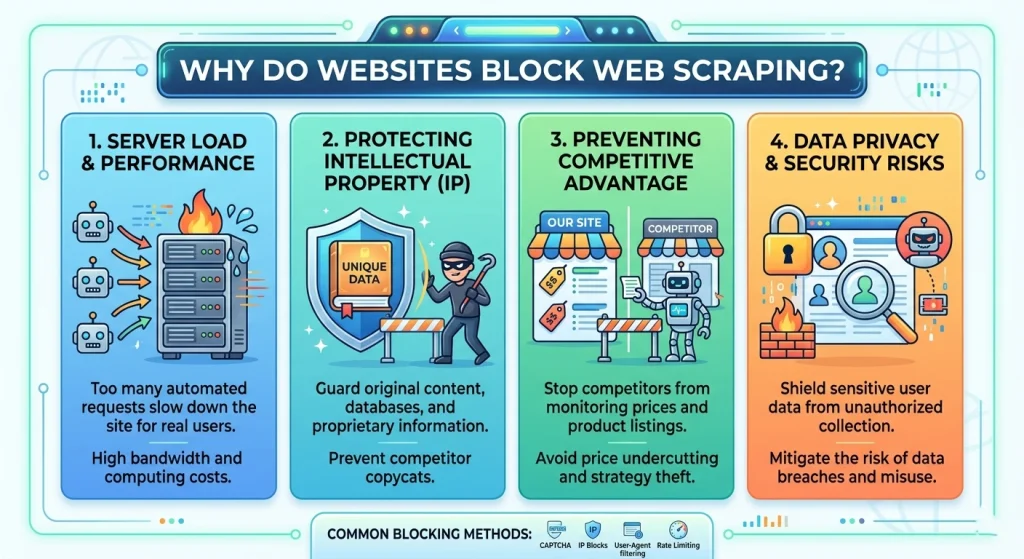
Before diving into the fixes, we must understand the adversary. Websites protect their data for three main reasons:
- Resource Preservation: Bots can consume massive bandwidth and CPU, slowing down the site for real human customers.
- Data Monetization: Many platforms prefer to sell their data via official APIs rather than having it “stolen” via a scraper website.
- Competitive Advantage: E-commerce giants frequently block scrapers to prevent competitors from undercutting their prices in real-time.
How to Identify Why Your Web Scraping Is Blocked
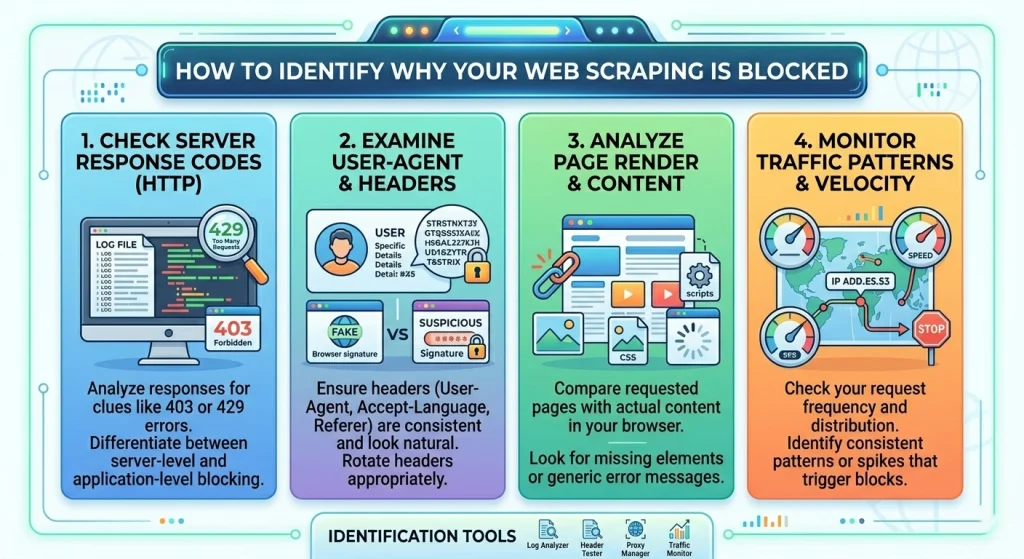
Before applying a fix, you need to diagnose the specific type of block you are facing. Not all “blocks” are created equal.
Common Error Signals
- HTTP 403 Forbidden: The server understands the request but refuses to fulfill it. This is the classic “You’re a bot” signal.
- HTTP 429 Too Many Requests: You’ve hit a rate limit. Your scraping site needs to slow down or rotate IPs.
- CAPTCHA Walls: The site suspects you are a bot and demands proof of humanity.
- TCP Reset / Timeout: The server is dropping your connection entirely at the network level.
5 Powerful Strategies to Fix Web Scraping Blocks Fast
If you want to scrape the internet effectively, you need a multi-layered defense. Based on ColaProxy’s years of experience assisting enterprise-level data projects, here are the most effective methods.
1. Implementing Elite IP Rotation
The number one reason for being web scraping blocked is using a single IP address for too many requests.
The Fix: Use a massive pool of IPs. However, the type of IP matters more than the quantity.
- Datacenter Proxies: Fast but easily identified as “server-side” traffic.
- Rotating Residential Proxies: These are the gold standard. They use IPs from real home devices, making your bot indistinguishable from a standard user.
2. Mastering User-Agent and Header Rotation
Your HTTP headers tell a story. If your header says you are “Python-requests/2.28,” you are basically wearing a sign that says “I am a bot.”
The Fix: You must mimic a modern browser.
- Rotate User-Agents: Use a library like fake-useragent to swap between Chrome, Firefox, and Safari strings.
- Match Headers: Ensure your Accept-Language, Referer, and Connection headers match the browser profile you are claiming to be.
3. Bypassing Browser Fingerprinting
Modern anti-bots like Cloudflare and Akamai don’t just look at your IP; they look at your “fingerprint”—your screen resolution, fonts, and even how your browser renders graphics (Canvas fingerprinting).
The Fix: Use “Stealth” Headless Browsers.
If you scrape any website with heavy protection, use Playwright or Puppeteer with “stealth” plugins. This hides the navigator.webdriver flag and mocks consistent hardware signatures.
4. Handling CAPTCHAs Automatically
When you see a CAPTCHA, it doesn’t mean your project is over. It means your “trust score” has dropped.
The Fix: * Prevention: Switching to ColaProxy’s Rotating Mobile Proxies often prevents CAPTCHAs entirely because mobile IPs have the highest trust rating.
- Solution: Integrate a CAPTCHA-solving service API (like 2Captcha) into your workflow as a fallback.
5. Throttling and Human-Like Behavior
A human doesn’t click 10 pages per second with exactly 100ms between each click.
The Fix: Introduce random.uniform() delays.
- Randomize the order of your URL requests.
- Occasionally “click” on non-essential elements to simulate a real user journey.
Choosing the Right Proxy: Comparison Table
| Proxy Type | Detection Risk | Speed | Best For |
| Rotating Residential | Extremely Low | Medium | High-security sites (Amazon, Google, Social Media) |
| Rotating Datacenter | High | Extremely Fast | Sites with basic protection; high-speed tasks |
| Static ISP Proxies | Low | Fast | Account management; maintaining a consistent session |
| Mobile Proxies | Lowest | Variable | Bypassing the toughest 403 blocks and CAPTCHAs |
For most users struggling with being web scraping blocked, we recommend starting with our Rotating Residential Proxies. They offer the best balance of invisibility and cost-effectiveness.
Case Study: How a Retailer Saved 40+ Hours of Debugging
One of our clients was trying to scrape website data from a major global marketplace. They were using a pool of 5,000 datacenter proxies. Within 10 minutes of starting their run, 90% of their requests were web scraping blocked.
They switched to ColaProxy and implemented three specific changes:
- Moved to Rotating Residential Proxies.
- Implemented Python web scraping with cookies to maintain session persistence.
- Randomized their request intervals.
The Result: Their success rate went from 12% to 99.4% overnight. They no longer had to manually “babysit” their scripts to rotate dead proxies.
Internal Resources for Better Scraping
To further optimize your setup, explore our deep-dive technical blogs:
- How to Scrape Retail Prices Without Triggering “Bot Detected” Screens?
- 7 Proven Steps: How to Set Up a Residential Proxy Easily
- Stop Getting Banned: The Science of Residential IP Rotation
- The Developer’s Guide to Integrating Rotating Proxies into Python Scrapers
- How to Solve CAPTCHAs by Switching to Higher-Trust Residential IPs
Frequently Asked Questions (FAQ)
What is the first thing I should do when my web scraping is blocked?
Check your status code. If it’s a 403, change your User-Agent and switch to a high-quality residential proxy. If it’s a 429, increase the delay between your requests.
Can I web scrape any website?
Technically, most public data can be scraped, but you must respect the site’s robots.txt file and Terms of Service. Always consult a legal expert regarding is web scraping legal in your specific jurisdiction.
Why does Google block web scraping?
Google uses advanced machine learning to detect non-human traffic patterns. They look for high-frequency requests coming from cloud provider IP ranges. To bypass this, you need rotating mobile proxies that appear as legitimate smartphone users.
How do I prevent site scraping on my own website?
To protect your own data, implement rate limiting, use a Web Application Firewall (WAF), and monitor for known datacenter IP ranges. However, be aware that high-end scrapers using residential IPs are very difficult to stop entirely.
What is request based scraping?
This refers to making direct HTTP requests (like using axios or requests) without a browser. It is faster and cheaper but more susceptible to being web scraping blocked because it doesn’t execute JavaScript.
The Web Scraping Success Checklist
Use this checklist before launching your next big project to ensure you aren’t web scraping blocked:
- IP Source: Are you using residential or mobile IPs for high-security targets?
- Rotation: Is your IP rotation logic handled automatically by your proxy provider?
- Headers: Have you randomized your User-Agent and added a realistic Referer?
- Throttling: Is there a random delay (e.g., 2–5 seconds) between requests?
- Fingerprinting: If the site uses JS-heavy protection, are you using a stealth-configured headless browser?
- Session Management: Are you handling cookies correctly to mimic a continuous user session?
Final Takeaway: Don’t Let Blocks Stop Your Progress
Getting web scraping blocked is a standard hurdle in the world of data science and web development. It is not a sign to quit, but a sign to upgrade your infrastructure. By moving away from “cheap” solutions and investing in ColaProxy’s professional proxy services, you gain access to the tools needed to scrape data from webpage sources at any scale.
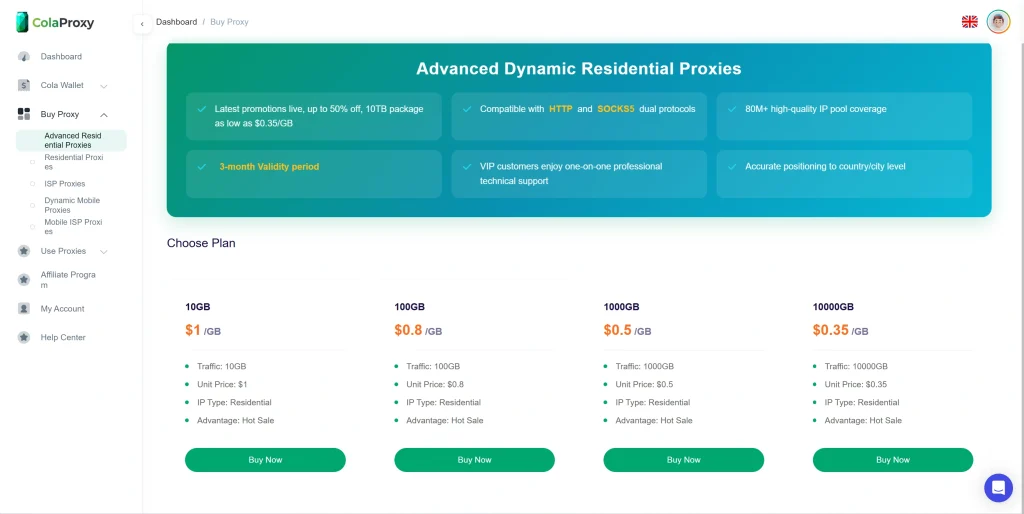
Ready to fix your blocking issues for good? View our pricing for Rotating Residential Proxies and start scraping like a pro today.
References & Authority:
- For industry standards on bot detection, see OWASP Automated Threats to Web Applications.
- Refer to the W3C Standards for HTTP/1.1 for a deeper understanding of status codes like 403 and 429.
- Learn more about the legal precedents of data extraction via the Electronic Frontier Foundation (EFF).